

Stays out of the way
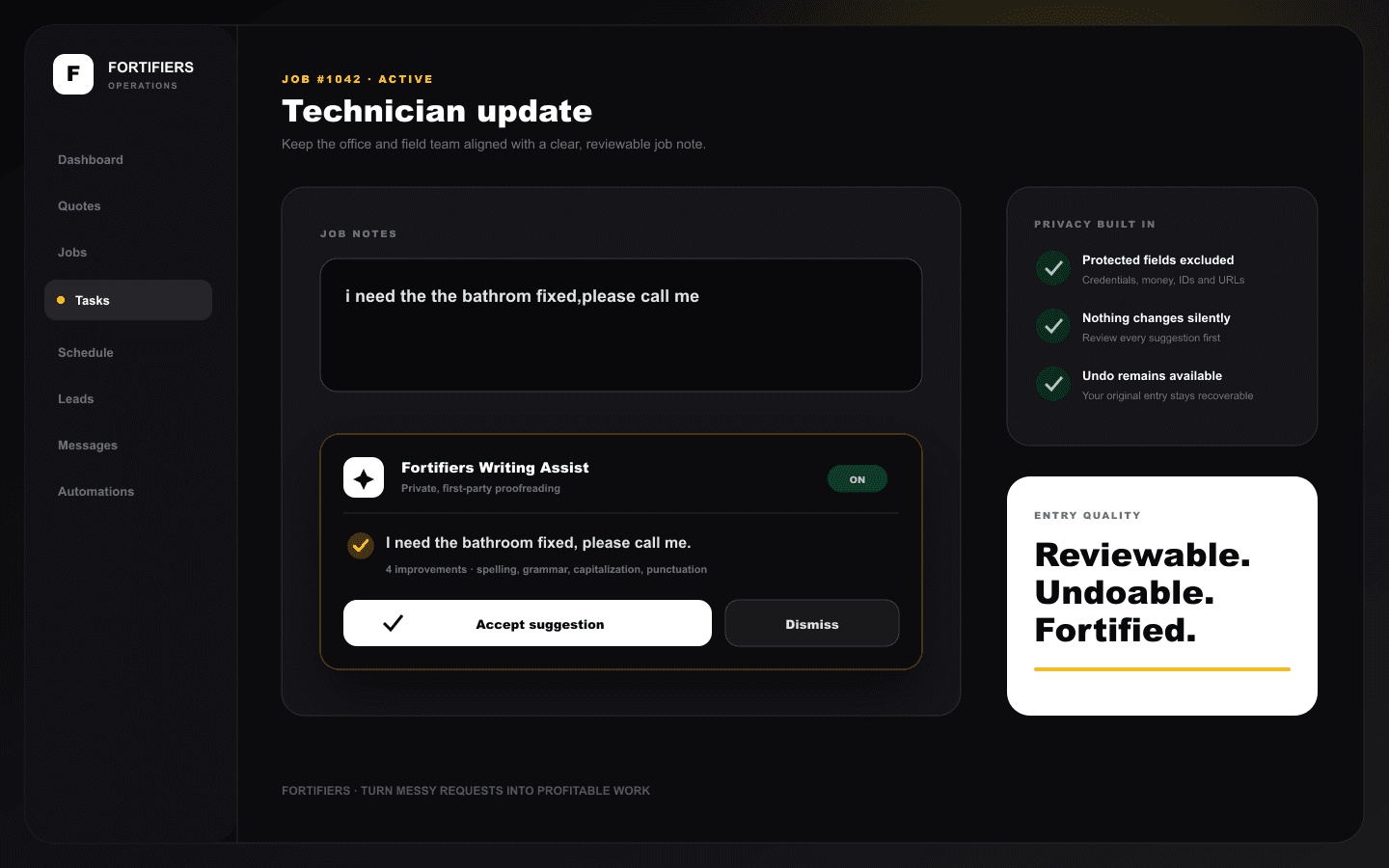
An unobtrusive sparkle sits on eligible prose fields while Writing Assist checks after you pause.
Proofread everyday operational writing and normalize messy intake without leaving the form or silently changing saved work.
Your browser and operating system provide immediate underlines, desktop context-menu corrections, and mobile keyboard suggestions. Fortifiers supplies the selected language hint and a branded underline where supported.
The first-party layer checks common operational mistakes and provides suggestions Fortifiers can count, explain, accept, dismiss, and undo.
Browser security prevents websites from reading native misspelling lists, replacement candidates, or personal dictionaries. Use the browser menu for native corrections and the Fortifiers badge for Fortifiers corrections.
An unobtrusive sparkle sits on eligible prose fields while Writing Assist checks after you pause.
The badge shows the number of improvements. Press it to review the complete proposed wording.
Your current entry remains authoritative. Accepted changes can be restored immediately.
Suggestions run through Fortifiers' authenticated, first-party service. The baseline engine makes no external AI request, and protected fields are excluded before a proofreading request is made.
Eligible prose fields include:
Mobile web ready
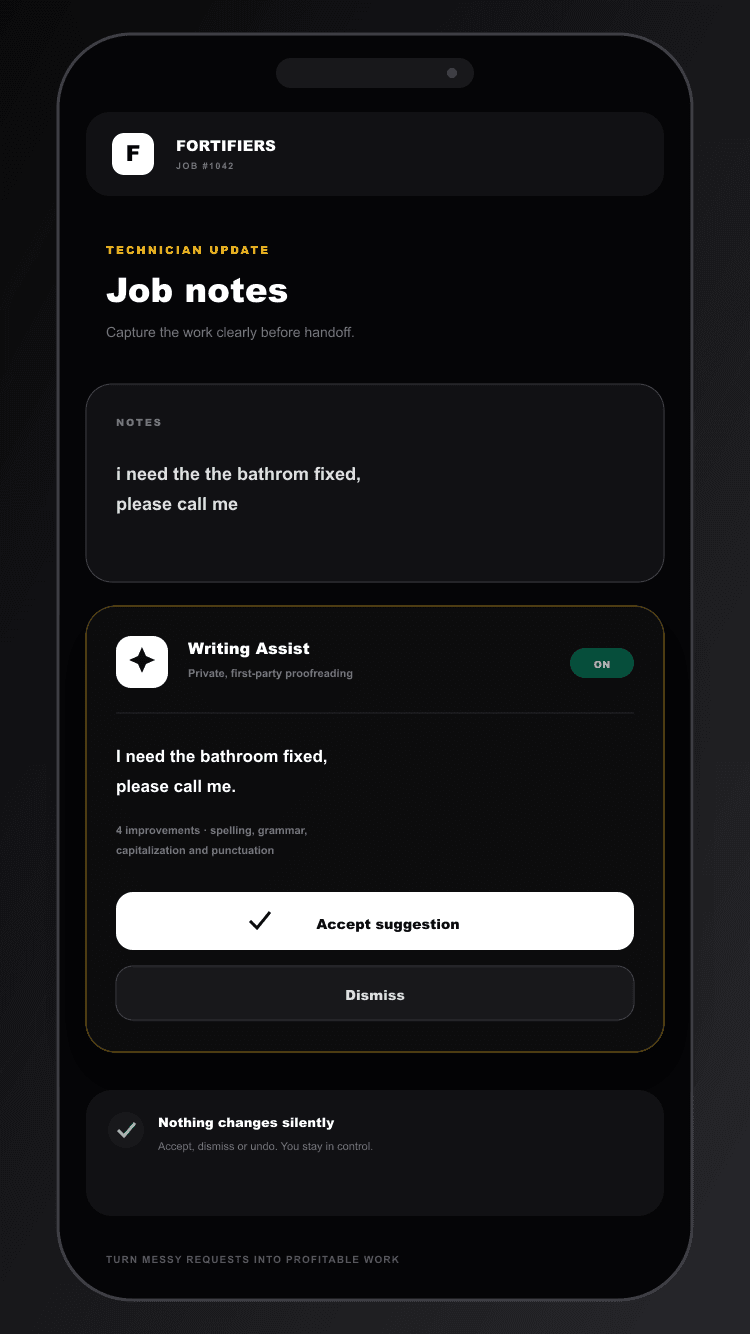
The assistant constrains itself to the available viewport and stacks its actions on narrow screens, so notes remain readable and the dashboard never expands horizontally.
Type normally in an eligible field.
Pause briefly; the compact badge shows how many improvements are available.
Press the badge, then accept the complete suggestion or dismiss it.
Use Undo to return to your original entry.
Fortifiers suggestions and browser spelling can be controlled independently from Dashboard Settings, along with the browser language hint. Preferences remain after reload. If either assistance layer is unavailable, the form continues working normally and your entry is unchanged.